Can I change the external water filter on my refrigerator myself?
Important Note: The information on this page is for Hong Kong products only. Models, sequences or settings will vary depending on location and/or where the product had been purchased. To be redirected to your local support page please click here.
Yes, you can change the external water filter yourself. Turn off the water and unscrew the two nuts securing the hoses. Replace the filter then refit the hoses, ensuring the water flows in the correct direction. Finally turn the water back on again and check for leaks.
For more information check the installation guide that came with your refrigerator. Online copies of the user manual and other documents can be downloaded by following these steps:
1. Click here to access the Manuals & Downloads page of the Samsung website.
2. Enter the model number of your product in the search box and then click on the SEARCH button or select your product's type and sub-type from the drop-down boxes and then select your product's model number from the list below.
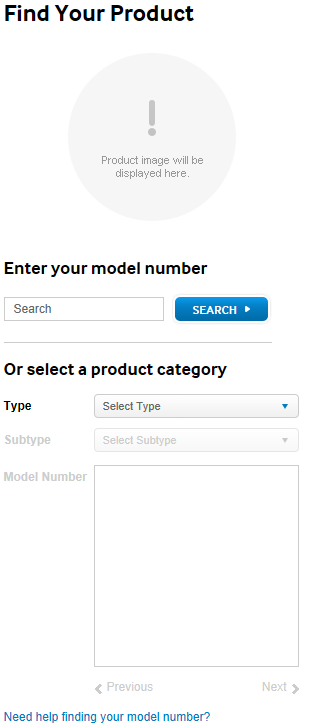
(Click Next beneath the list of model numbers if your product's model number hasn't appeared in the list after selecting its type and sub-type. Click Need help finding your model number? to get help locating the model number on your product).
3. Click the Manuals & Downloads button.
4. Click Manuals.
5. Click the file icon next to a document's description to begin downloading that document. (You may have a choice of file icons, including  ,
,  and
and  , each of which will download or open the document for viewing in a different application). The most recent documents are at the top of the list.
If the above information does not match what your product is showing, you may check the User Manual for your product. If you are unable to solve the problem, please contact us for further assistance.
Thank you for your feedback!
Please answer all questions.
RC01_Static Content : This text is only displayed on the editor page